
Mobile app
The cab keeps the record moving
Six tabs: Home, Loads, Chat, Expenses, Settlements, Settings. There is no driver web app — use the stores.
A day in the role
Accept the assignment
A pending load shows Accept or Decline. Rate confirmation is visible read-only before you accept. Start Route waits until you are on the load.
Run the trip
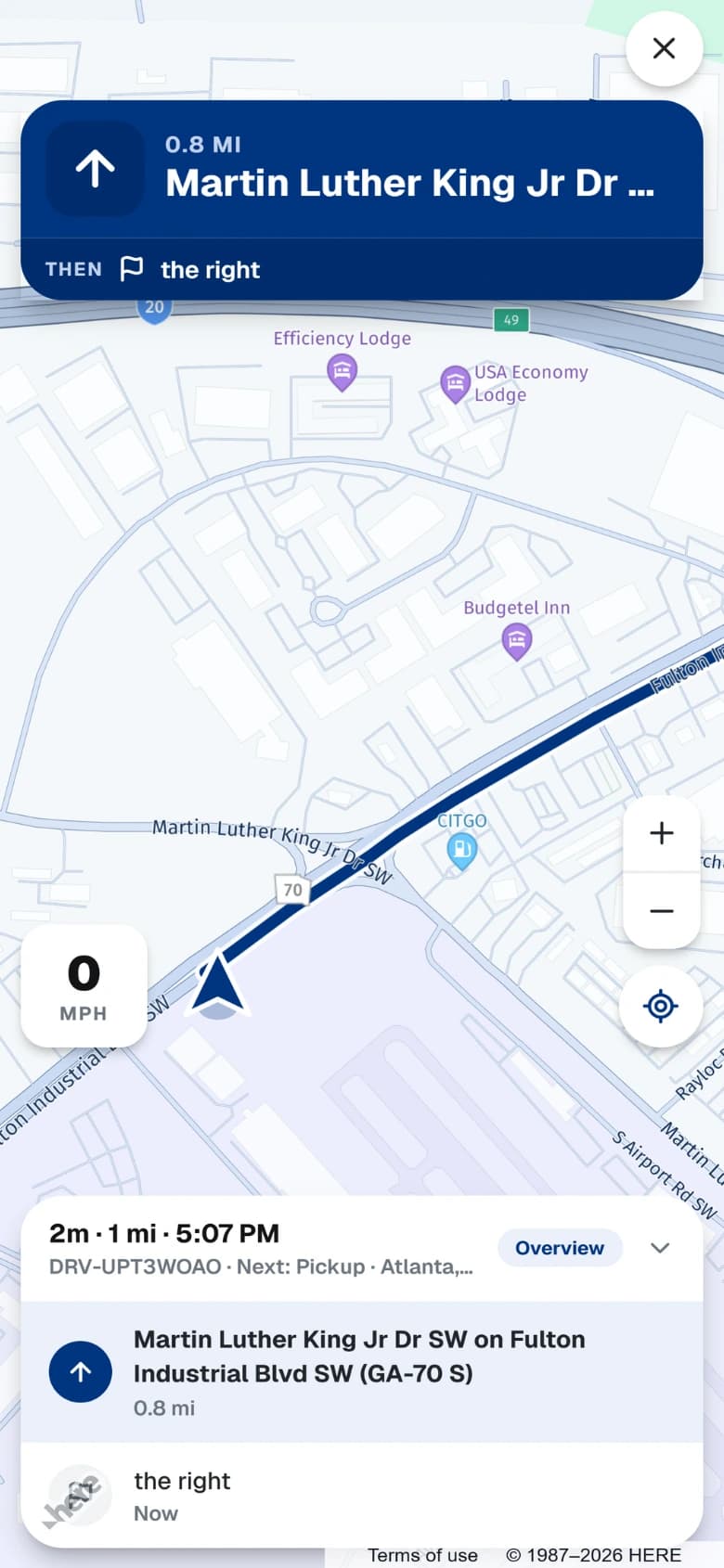
Advance assigned → loaded → en route → delivered. Document types unlock by stage. Navigation stays in the app with hazard cards as you approach them.
At the dock
Open the facility visit screen or scan the kiosk QR. Seal, exceptions, and lumper state sit on that visit — not in a text to the guard.
Close the week
Scan receipts, check My Earnings Monday to Monday, and read fleet pay statements. Manual duty log plus GPS miles feed IFTA for the fleet — this is not a certified ELD.
What this workspace actually does
- Accept or decline a pending assignment, then assigned → loaded → en route → delivered.
- In-app truck-safe navigation and route hazard cards (HERE truck profile).
- BOL/POD capture with finger e-sign; rate confirmation is read-only.
- Receipt scan, OCR, and Monday-to-Monday My Earnings.
- Facility visit screen and kiosk QR self check-in; add a personal load for off-fleet income.
Works with
Same load record. Different columns depending on the tenant.